














How to Connect Your LOW-PRO 300W Wireless Key Fob [VIDEO]
Created May 8, 2022
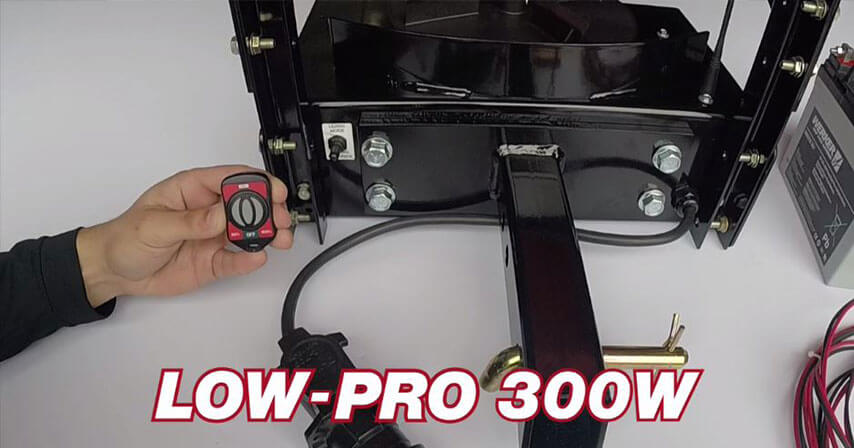
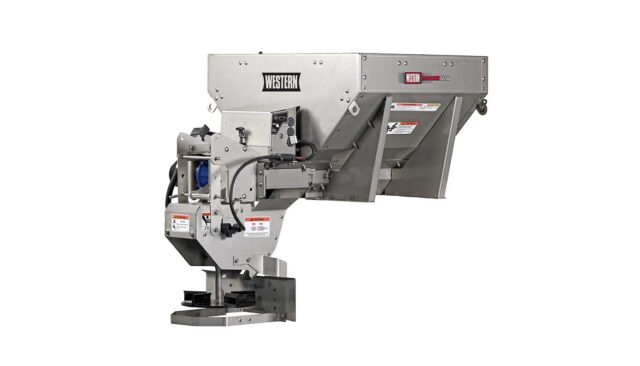
Setting up your WESTERN® LOW-PRO 300W wireless spreader is quick and straightforward when you have the right steps. Getting your wireless controls synced correctly is essential for reliable, on-the-go spreader operation. This guide walks you through the process of resetting your fob and pairing it with your vehicle-side control board to get you back to work with confidence.
Step 1: Reset the Wireless Remote
Before pairing, you must clear any existing data from your key fob:
- Ensure the 7-pin power plug is connected to your truck or UTV.
- Locate the reset button on the back of the fob and press it using a paper clip.
- When the blue light on the fob begins to flash, enter this sequence on the keypad: 50% — OFF — 100%.
- Repeat the sequence: 50% — OFF — 100%.
- Wait for the blue light to stop flashing.
Step 2: Testing Manual Override
Verify that your system is communicating correctly before finalizing the pairing:
- Flip the toggle switch to the Manual Override position.
- Disconnect the 7-pin power plug, wait a few seconds, and reconnect it. The spreader should start.
- Once it starts, disconnect the power again.
- Flip the toggle switch back to Neutral and reconnect the power.
Step 3: Pairing with the Control Board
Now, sync the fob to your spreader’s control board:
- Press and hold the toggle switch in the Learn position for 15 seconds to erase any previous programming.
- Toggle the switch to Learn mode again for 2 seconds, then release.
- Immediately press and hold the 50% button on your key fob for up to 30 seconds.
- Once the spreader starts, test the OFF and 100% buttons on the fob to ensure full functionality.
This video will show you how to pair the wireless key fob control to the LOW-PRO 300W tailgate spreader.